Origami Studio
The interaction-design tool teams across Meta use to design, animate and prototype, all in one place, with real data and logic.
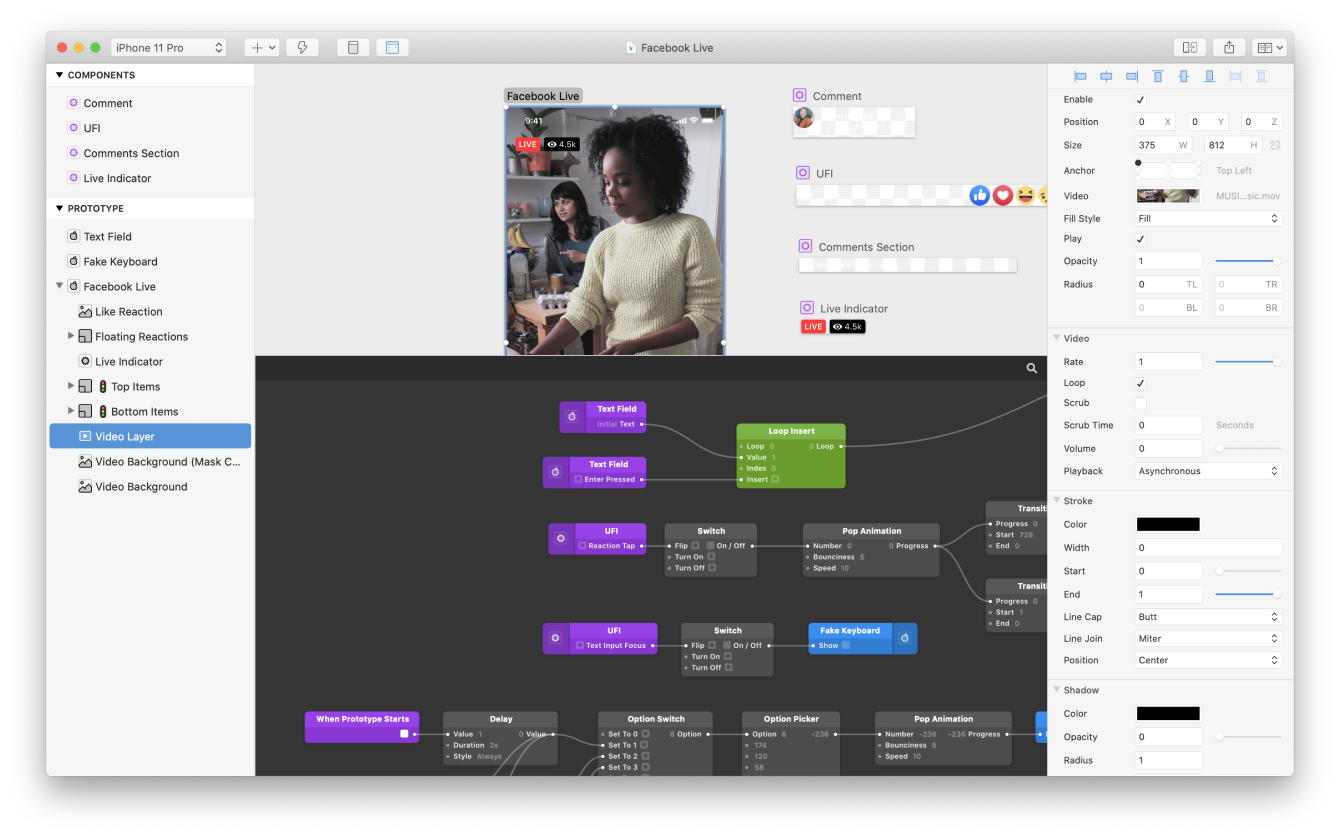
Overview
Origami Studio is how designers across Meta build real, interactive prototypes, connecting layout, motion and logic without writing production code. It began inside the company and is now freely available to designers everywhere.
As a design technologist on the team, I help build the tool itself: the Canvas, the Patch Editor, the patches that reach into device hardware, and the workflows that get an idea from a blank file to a shippable, feelable prototype.
Introducing Canvas.
A visual way to lay out prototypes, freeform drawing, text editing and components, wired to the logic in the Patch Editor.
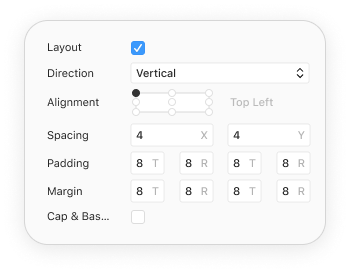
Layouts that respond as you design.
Build with stacks and constraints so changes flow automatically, making it far faster to iterate without re-pinning everything by hand.
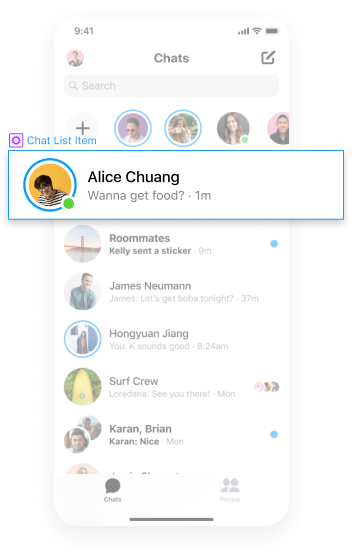
Compose components, then bring them to life.
Lay components out visually in the Canvas and combine them with powerful interactions in the Patch Editor, reusable, stateful, and real.
Tap into real device hardware.
Patches that unlock native APIs, so a prototype behaves like the real thing on device.

Photo Library
Pull in images straight from the device Camera Roll.

Audio Metering
Drive visualizations from live or recorded audio.

Haptic Feedback
Reach the haptic engine for real, physical response.

GPS & Maps
Position maps from the device's current location.

Device Motion
Read accelerometer and gyroscope in real time.
Easy to import, even easier to share.

Copy and paste editable vector and text layers straight into Origami.
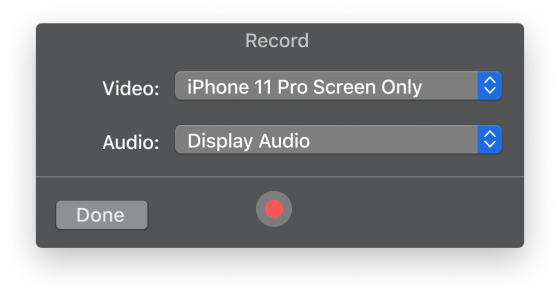
Capture, trim and export video of a prototype right inside Origami.

Send a live prototype to a device nearby for critique, reviews or fun.
Examples
Downloadable prototypes that teach a technique in one sitting, from live API data to device motion. Each one ships on the Origami site with its own page and file.

Examples and video © Meta, from origami.design/examples, shown here to document my work on the team.
Sharing powerful components
Origami's community is where the tool really compounds. Designers post the components and techniques they invent, others take them apart, and the best ideas end up as patches in the app. A sample from the Origami Community group.