Creeza
A Mac app for designing with AI the way you design with anything else: visually, on a canvas, by connecting things together and watching what happens.
Download on the App StoreOverview
You drag in the things you need, a camera, a photo, a model, a sound, connect them with cables, and every step shows its own result right there on the canvas. No render step, no preview window, no waiting to find out what you made.
It's the directness of Quartz Composer and Origami, pointed at the AI era. And what you build isn't a mockup: the same file runs inside a real app, so the thing you tuned is the thing that ships.
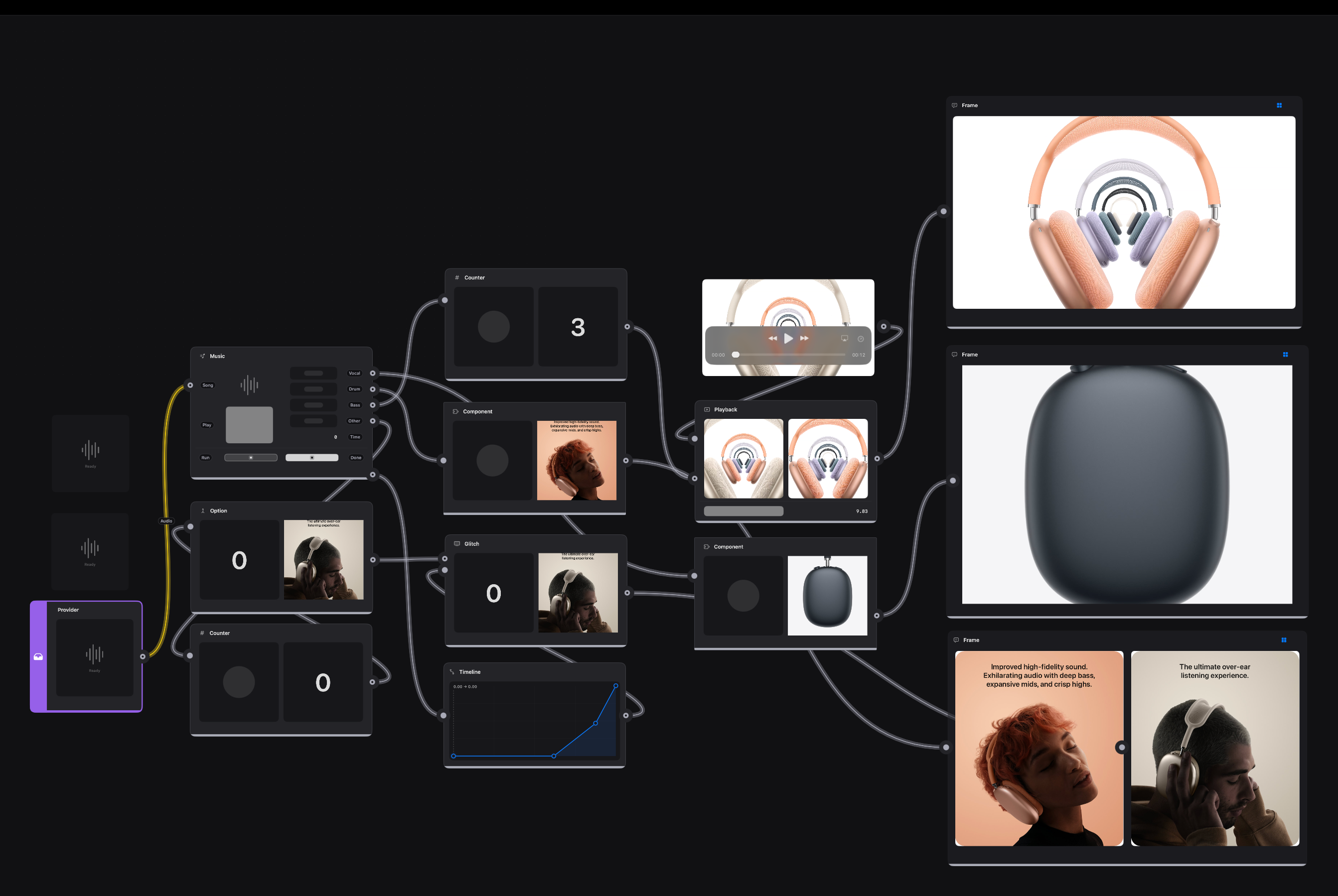
The canvas is the product
A canvas that behaves
Alignment guides, distance rulers, marquee select, smooth pan and zoom, real undo. Pull a cable into empty space and Creeza offers only the things that could actually connect there.
You can see everything
Images, video, spinnable 3D, text, colour, numbers, each step previews itself in place. Click any result to copy it out. Even the cables tell you what's flowing through them.
Most of it is free
A large part of the library runs entirely on your Mac. No API key, no account, no per-image cost, just work.
The big models, when you need them
OpenAI, Claude, Gemini, ElevenLabs, Stability and more are a patch away. New models show up without waiting for an app update.
Ask, and it wires itself
Describe what you're after and Creeza drops in the right pieces, or writes a brand-new patch when nothing in the library fits.
Tidy up as you go
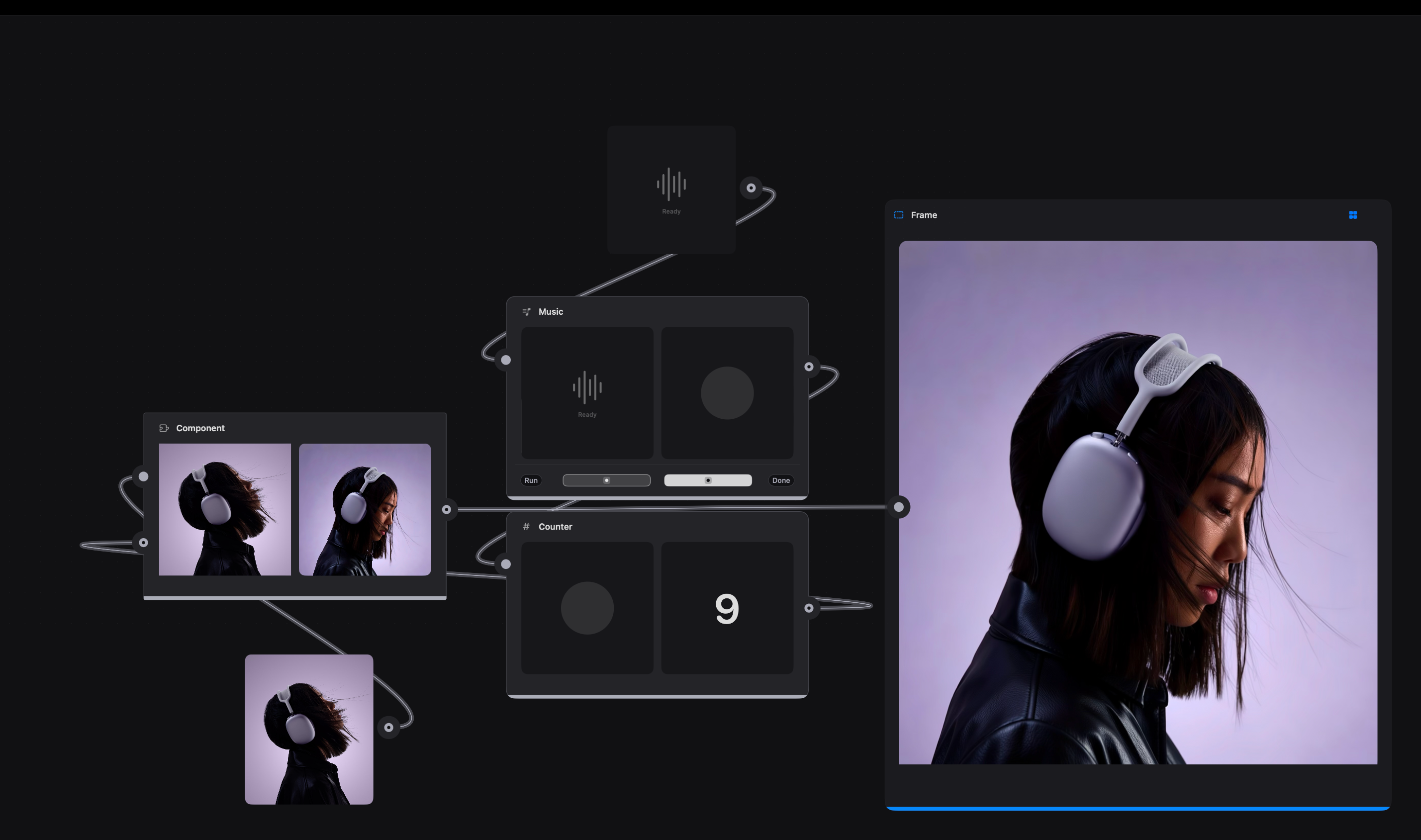
Wrap any messy cluster into a single reusable Component, name the few knobs that matter, and step back inside whenever you want to change it. Those named knobs are also what an engineer hooks into later.
Make the asset where you need it
Images, sound, voice, video and 3D are made right next to the layout that uses them. No round trip, no re-importing, no naming files.
Read moreRead less
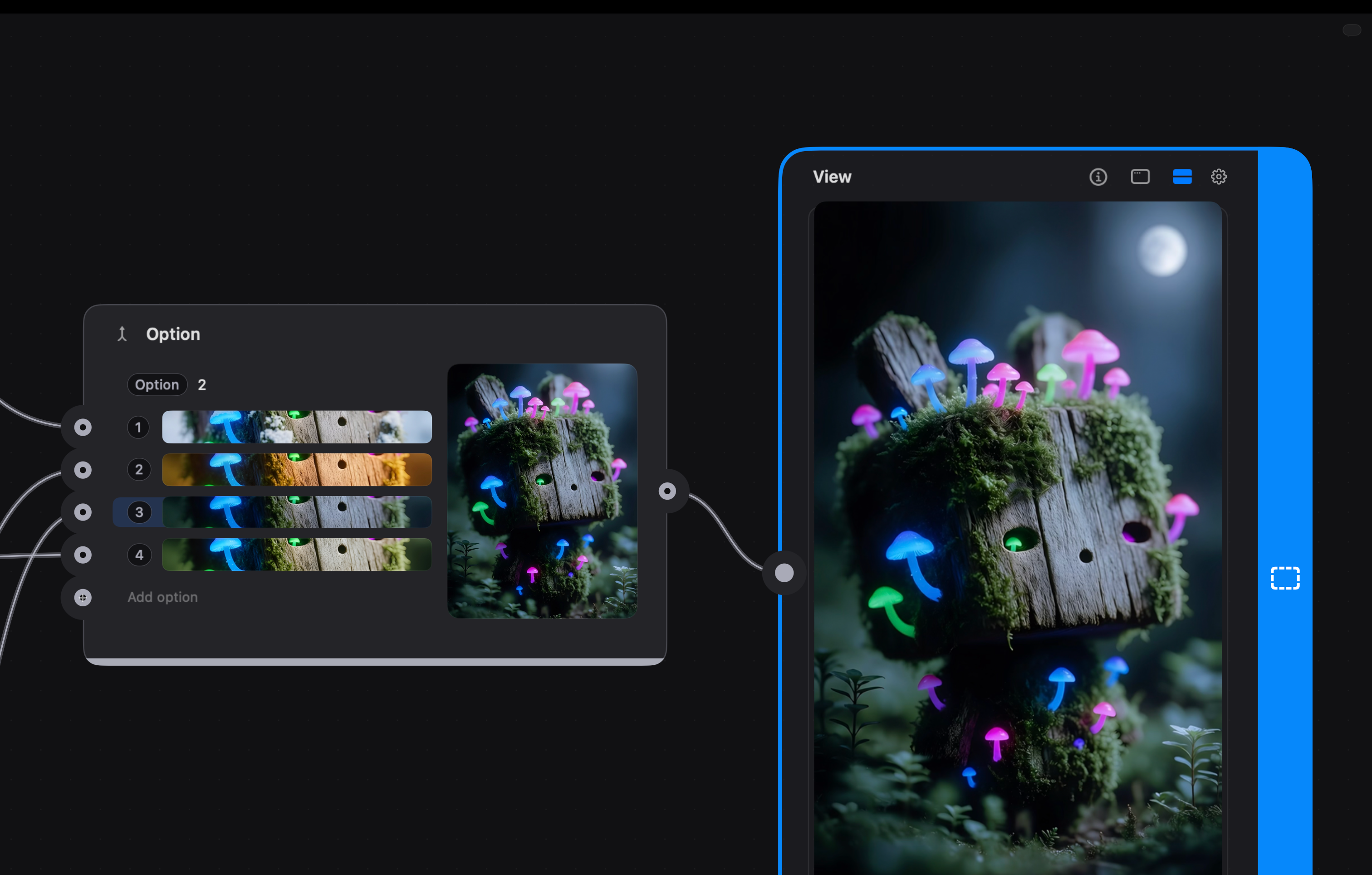
A lot of it runs on your Mac with Apple's own models: no key, no account, nothing metered. When you want a particular look or voice, the same patch reaches out to OpenAI, Gemini, Stability or ElevenLabs, so switching provider is one connection rather than a rebuild.
Several attempts can live side by side. Keep four versions in one place, flip between them, and the layout updates around whichever one you're looking at.
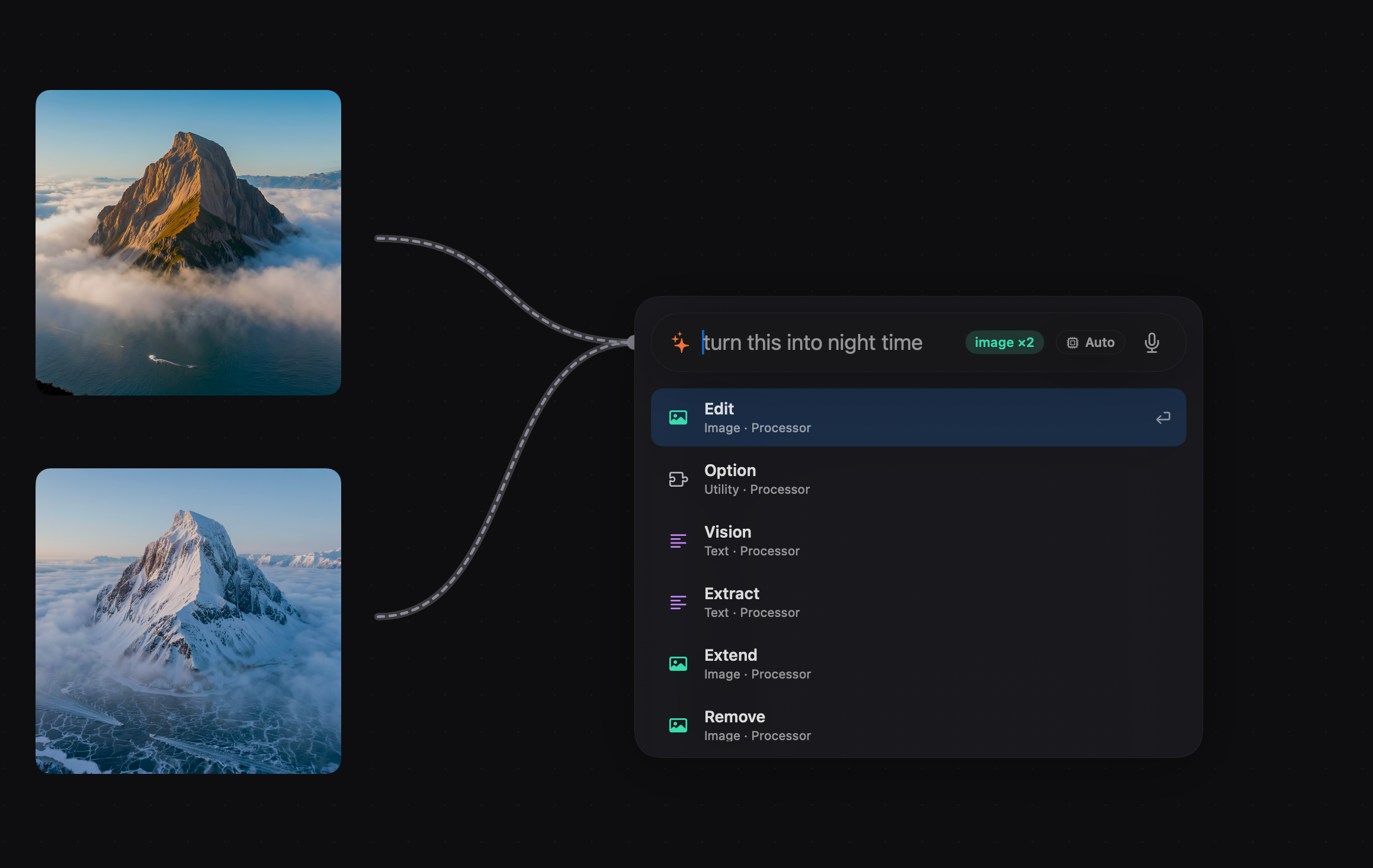
Say it, don't hunt for it
Drop a cable in empty space, say what you want, and the right thing is already at the top of the list.
Read moreRead less
It reads the cable before you type. Two images in means image processors rank first, text tools sit below, and anything incompatible never appears at all.
Hit return on the top result and it lands wired up, inputs connected, ready to run. Dictate it instead of typing if you'd rather, or leave the model on Auto and let Creeza pick.
It can see what you dropped in
Hand Creeza an image and it will tell you what's in it, read the text off it, and find the subject. Your layout can then react to the picture instead of ignoring it.
Read moreRead less
That description is just a value, so it can caption the image, feed the next prompt, or decide which of three layouts an asset belongs in. Point it at a folder and the same graph sorts and re-lays every file in it.
Extract pulls the words out of a screenshot or a photo, which makes real content easy to get at when all you have is a picture of it.
It runs on your Mac, so you can throw a hundred images at it without watching a spinner or a bill.
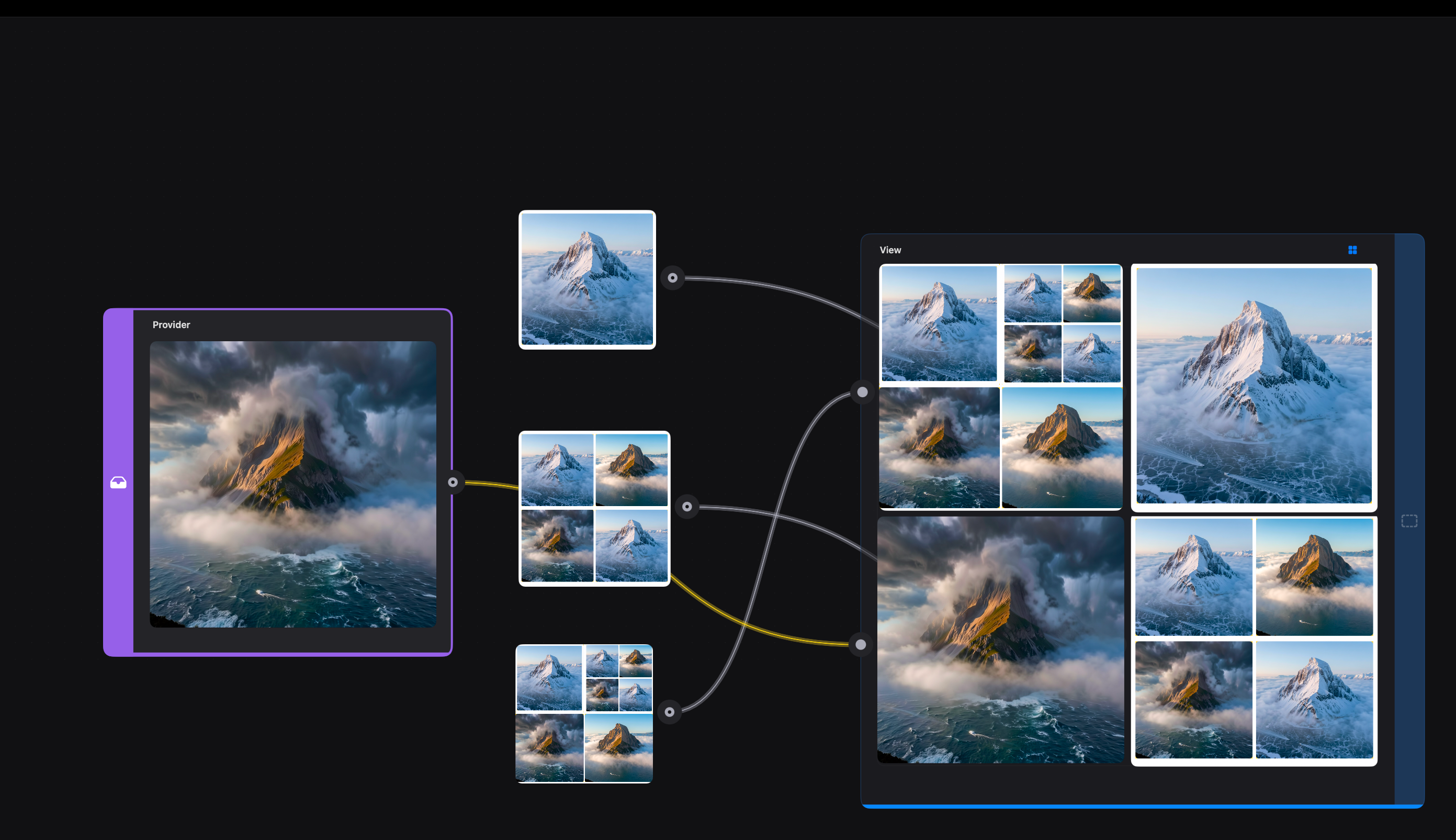
Treatments you can dial in
Crop, upscale, lift a subject out, drain the colour, or run it through Glitch for real signal damage. Every control moves live under your hand.
Read moreRead less
Effects chain and stack, and a chain you like becomes a component with only the knobs you care about exposed. Point it at every variant instead of repeating the same treatment by hand.
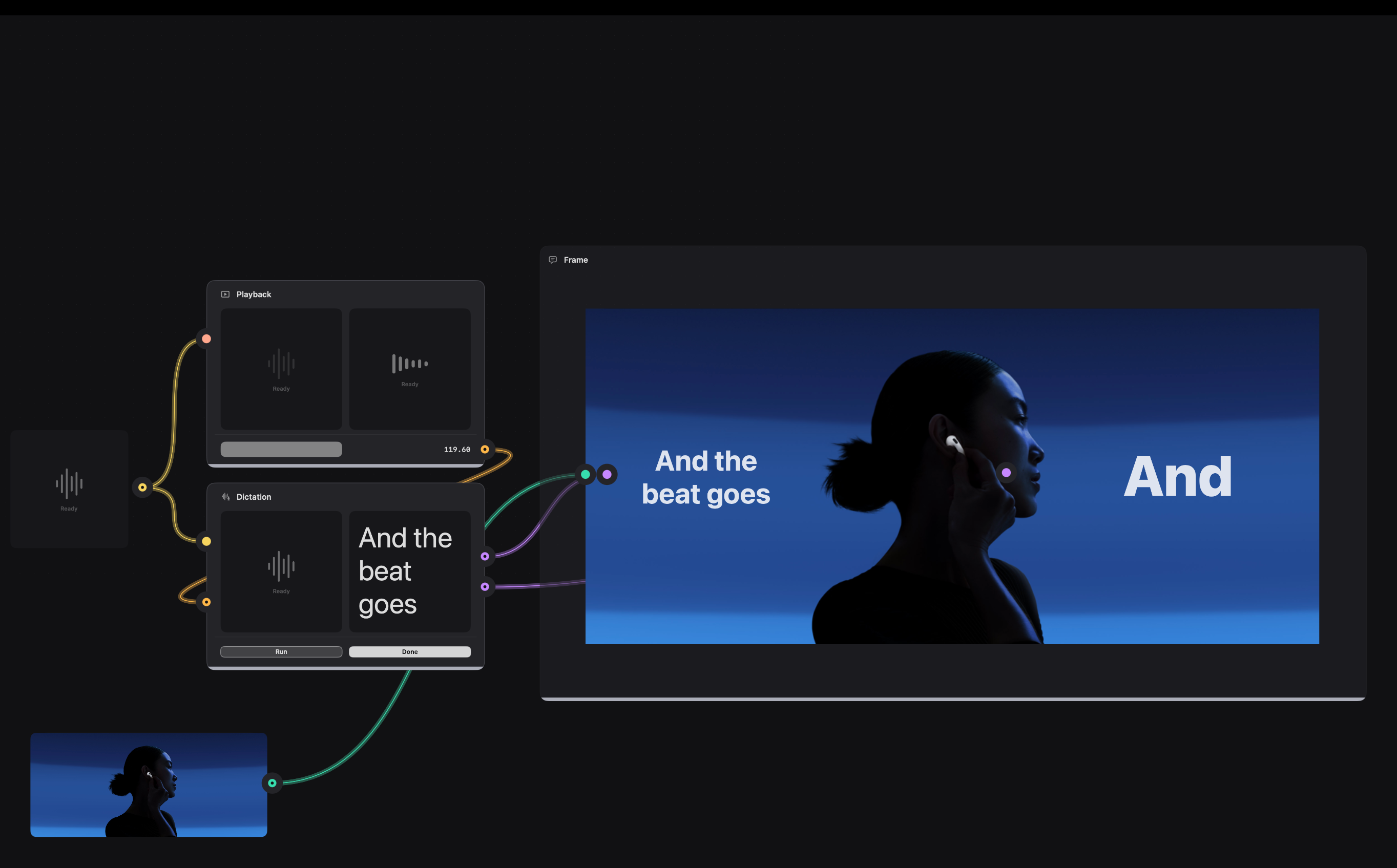
Any control can be handed to something else: a beat, a head turn, a slider, a playhead. Glitch on the downbeat, colour draining as a scene ends, a mask tightening as someone leans in.
Nothing is baked in. Change the source image weeks later and the whole treatment re-runs on it.
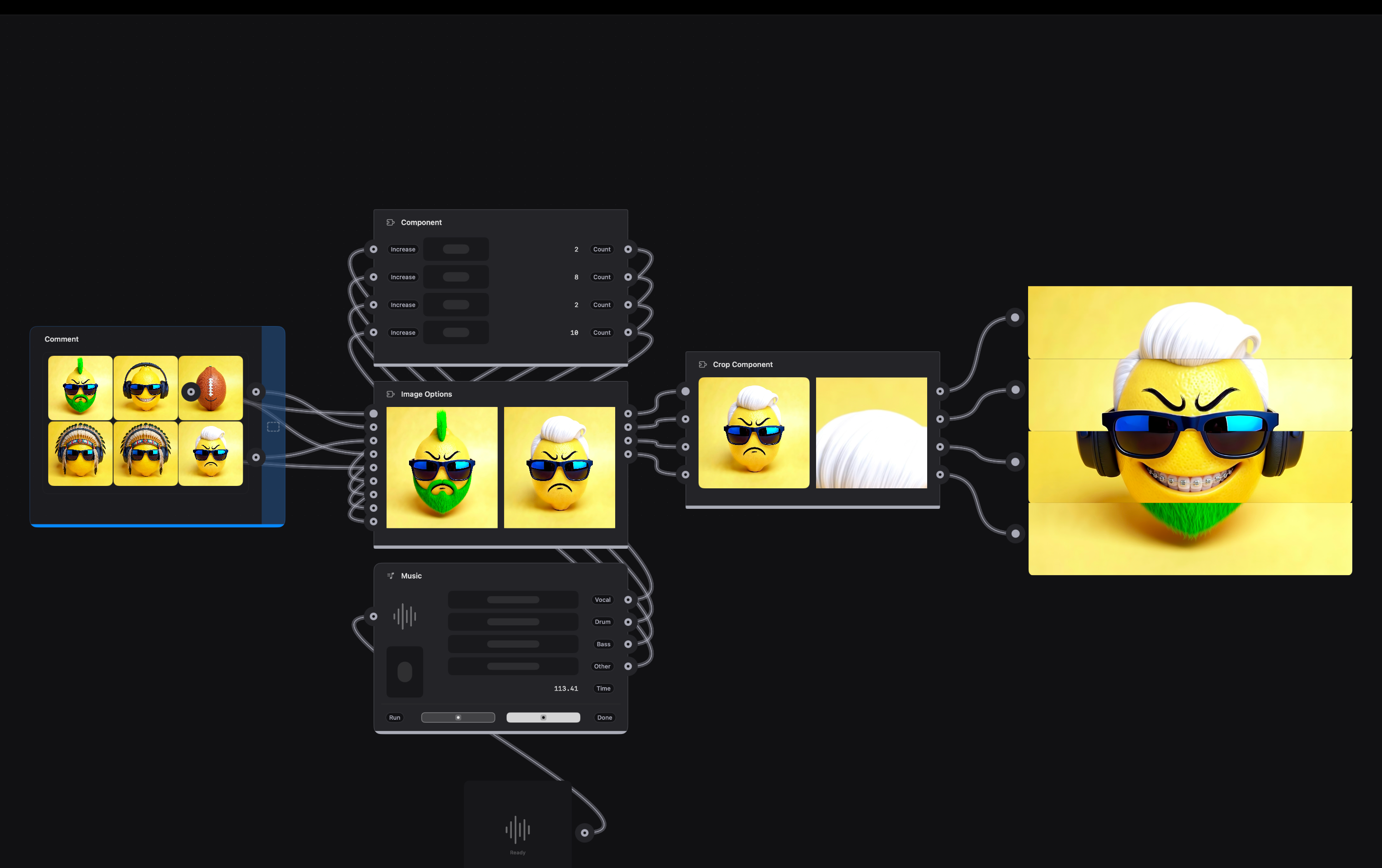
Words as live material
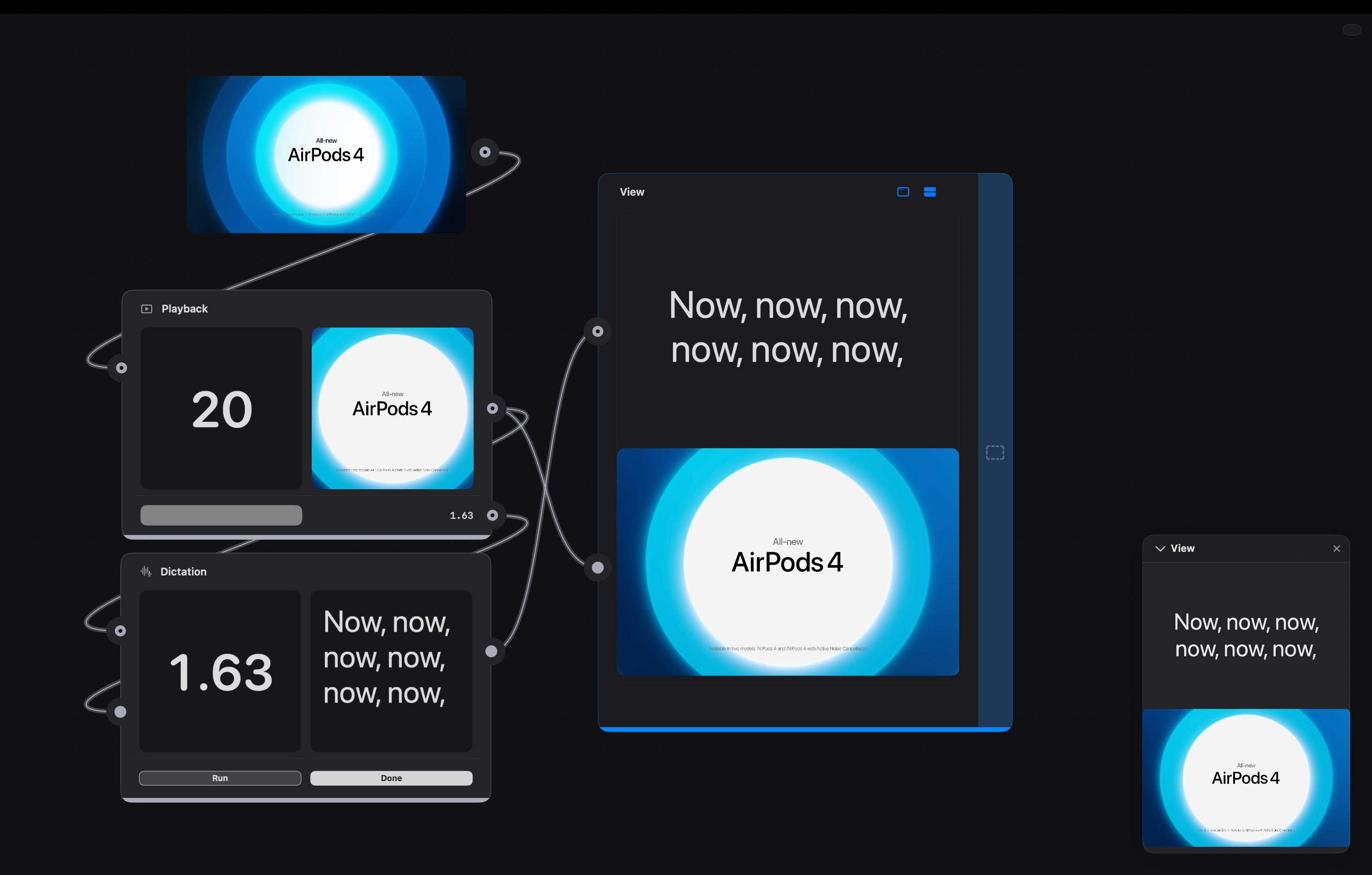
Speech becomes text, text becomes any language, and either can be spoken back in a voice you choose. Copy stops being placeholder.
Read moreRead less
Localisation becomes something you can see: run your layout in six languages and watch which strings break it, rather than finding out after handoff. Dub a whole video and the transcript, the timing and the voice all come from the same file.
Feed a line to a voice and hear it read. Hear how a prompt or an empty state actually sounds before anyone books a session.
It runs on your Mac, so nothing is uploaded and there's no wait between hitting play and reading the result.
Easy to use layout
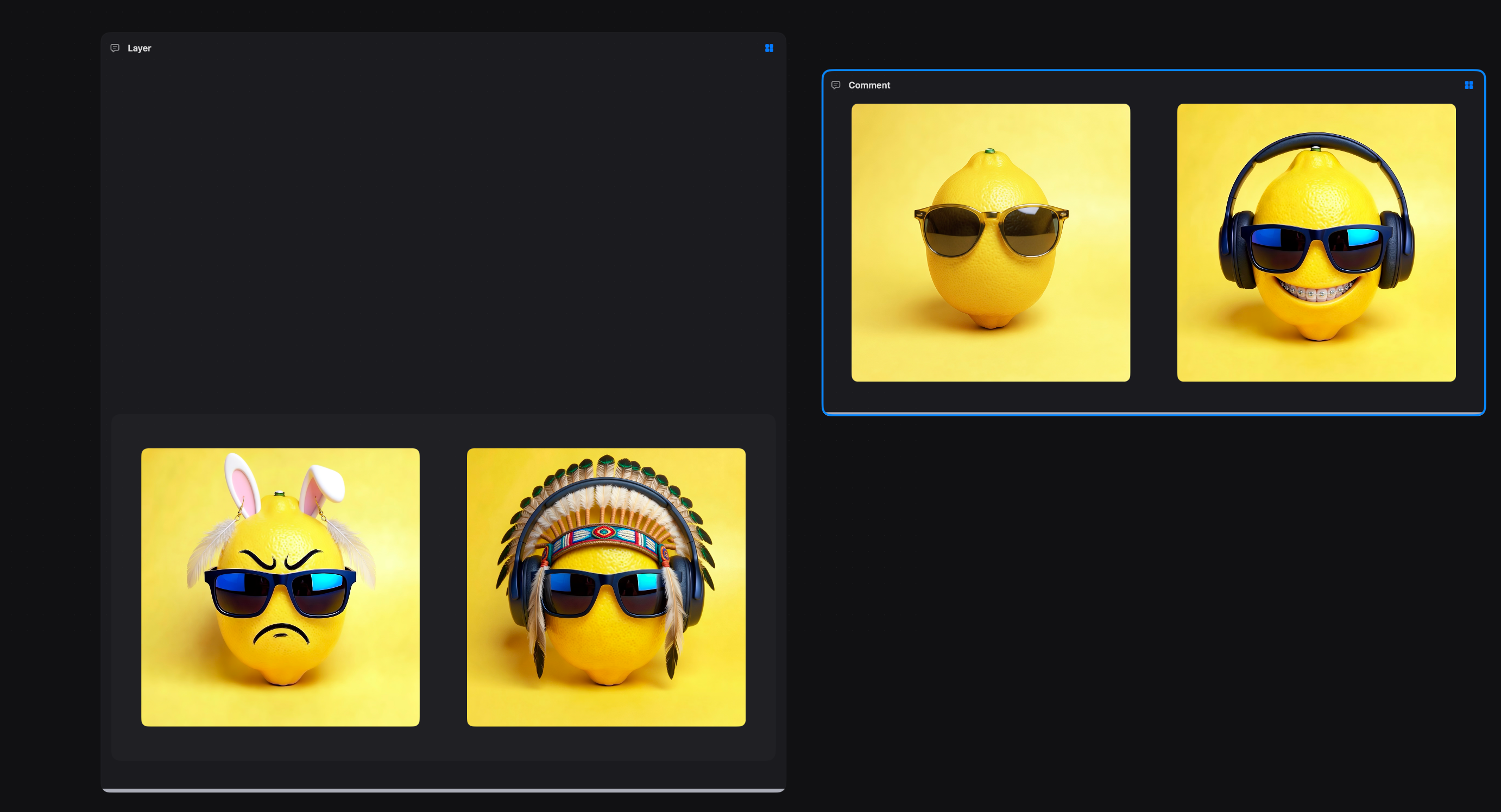
Views are real artboards. Drag things around, resize them, stack them, and the layout holds while the contents keep changing.
Read moreRead less
Because every asset arrives from the graph, rearranging is cheap: nudge an image and the version behind it follows, swap the source and the composition survives.
Comments sit on the canvas next to it all, and they hold pictures rather than just words, so the reasoning for a choice lives beside the choice.
Motion that lands on the beat
Drop in a track and Creeza hears it. Motion doesn't approximate the music, it's driven by it.
Read moreRead less
Tempo, key, downbeats and where the sections change all come out as values you can wire into anything.
No counting frames, no nudging keyframes until it feels close. Swap the song and the timing follows.
Music
The listener. Beat, BPM, key, and the structure of the track (intro, drop, chorus) read on your Mac, no upload. Its outputs are the clock everything else runs on.
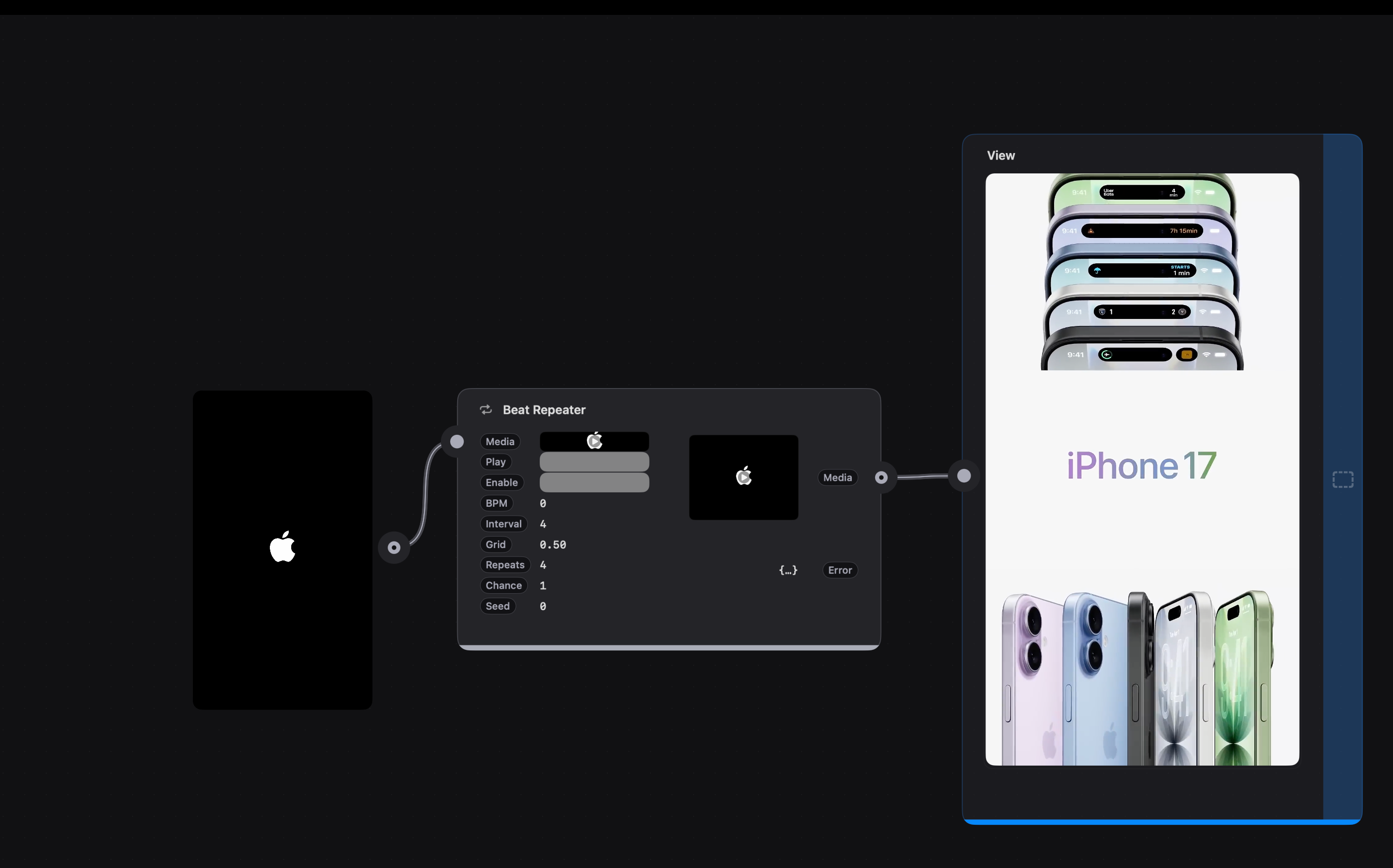
Beat Repeater
DJ-style stutter, but for picture as well as sound. Set the grid and repeat count and it chops audio and video together, always in time.
Fade to Grey
One knob that drains a scene: colour, brightness and audio pulled down together. Tie it to the beat for a build, or to a gesture for a mood.
Working in it
Your file is the product
Most prototypes get read once and rebuilt from scratch. This one gets dropped into the app and runs, on Mac, iPhone, Apple TV or Vision Pro.
Read moreRead less
One click sends it to Xcode with the surrounding project built for them. Nothing is converted or regenerated, so when the timing feels off two weeks later you open your file, fix it, and hand back the same file.
It's a proper Mac app about it too: tabs, recents, duplicate, rename, autosave. Documents carry their own media inside, so sending one to someone just works.
What you get to play with
Media & AI images
Make an image, edit one, extend past its edges, remove something and heal the gap, lift a subject off its background, upscale, crop, glitch. Turn a still into 3D, or into motion.
Text & understanding
Describe what's in a picture, pull the text out of one, translate copy, or dub a whole video, and turn speech into text. Claude for everything else (Pro).
Sound & music
Speak text aloud, invent sound effects, compose and remix music, recognise sounds. Read a track's beat, key and structure so your interface can move with it, then trim, pitch, crossfade, wash it out with one knob, or stutter audio and video in time. Split a song into stems (Pro).
Inputs
Camera, photo library, microphone, your music, the keyboard, taps and presses on any layer, and your AirPods, which will tell you where someone's head is pointing and when they nod. Drop or paste in anything else.
Logic & timing
Count, compare, switch, sample and hold, pulse, loop, and draw your own animation curve on a timeline. If you know Origami or Quartz Composer, this part needs no introduction.
Output & layout
Layers, video playback you can drive from the graph, artboard frames with auto-layout, and comments for the next person who opens the file.
Model & service coverage
Apple's on-device models, OpenAI, Anthropic, Google AI, ElevenLabs, Stability AI, BytePlus ModelArk and LALAL.AI, all behind the same kind of patch, so swapping one for another is one connection.
The rest of your desk, docked
Drag a cable out of the graph and drop it into a chat. The image you just made becomes the thing you're asking about.
Read moreRead less
Left: Claude, ChatGPT, Gemini, Meta AI, Grok and Weave, live and always loaded, so switching never loses your place.
Right: Figma, Google Stitch and Claude Design, or a real terminal if you want one (Pro).
Two builds, one file format
Creeza
On the App Store. The whole library, everything on your Mac, everything in the cloud.
Creeza Pro
Adds the terminal, the Claude-powered canvas assistant that can scaffold and build real projects, command-line patches, and stem separation.
Both editions open the same files. If a document uses a Pro patch and you're on the App Store build, it stays put and shows a badge, nothing is ever quietly removed from your work.